03. Cut it out
If you haven't done so already, download the course materials.
Open the course materials, then navigate to the SpatialAudio directory. Inside, you’ll find a mp4 file to edit inside of the Raw Footage directory. Practice cutting the separate audio tracks for each speaker in the video.
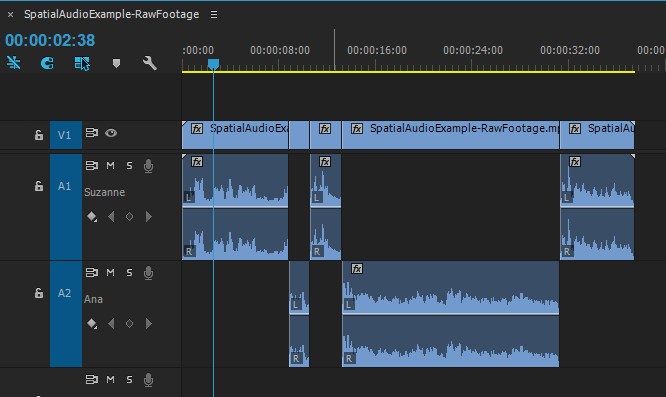
When you’re done editing, your Premiere sequence should have each speaker on their own track.
Tip: The goal to setting it up this way is to sync the audio tracks to start and end at the same time, preventing overlaps in audio. This can be done by pulling in any audio into the timelines.